Skip to content

10 Golf Launch Monitor Tips for Choosing the Right One

Choosing a golf launch monitor is no longer a decision reserved for tour professionals. Home practice has become more measurable, accessible, and demanding.

The National Golf Foundation’s 2024 Golf Participation Report recorded 45.0 million on-course golfers in the United States during 2023. That figure shows a large audience seeking better feedback between lessons and rounds. The R&A’s Golf Around the World 2023 report also identified 66.6 million on-course golfers across 206 countries. More players now want evidence, not vague impressions, after every swing.

A reliable golf launch monitor can reveal carry distance, ball speed, launch angle, spin rate, and club-path information. These numbers help golfers understand why a seven-iron stops short or curves unexpectedly. However, every device has limitations. No monitor is perfect.

Accuracy depends on calibration, lighting, ball quality, software, and placement. Indoor radar systems may require more space than expected. Camera-based units can perform differently with reflective surfaces or poor lighting. A low price may also hide subscription costs, limited data, or weak customer support.

The right choice should match your practice habits, room dimensions, playing goals, and technical confidence. A beginner may value clear carry numbers and simple feedback. A coach may need spin-axis data, impact location, and reliable outdoor performance.

Ten practical tips can make this comparison easier. They focus on measurable accuracy, realistic use, and long-term value. Some advice may challenge popular buying habits. That is useful. Golf technology deserves careful judgment, not blind enthusiasm.
10 Golf Launch Monitor Tips for Choosing the Right One

Benchmark Performance: 2024 PGA TOUR Driver Speed Averaged 115.9 mph

The 2024 PGA TOUR driver-speed average was 115.9 mph, a useful performance benchmark. It is not a target every golfer must chase. It is context. Your launch monitor should show how your swing compares with your own reliable baseline. Measure club speed, ball speed, smash factor, launch angle, and spin together. A single impressive number can hide a poor strike.

During practice, I trust repeatable readings more than dramatic readings. Place the unit correctly and follow its distance requirements. Check whether it works indoors, outdoors, or in both settings. Lighting, alignment, and restricted ball flight can affect results. Look for documented accuracy and clear calibration instructions. Ask how the device updates, stores, and exports data. Convenience matters when you practice three times weekly.

Do not choose a monitor only because it reports tour-style metrics. Choose one that explains misses clearly. For a slower swing, carry distance and face impact may matter more than speed alone. For a faster swing, spin consistency can expose launch problems. Compare ten swings instead of one perfect drive, and record the conditions. My own testing is imperfect; fatigue and alignment still distort results. That limitation deserves attention.

Interpret Tour Data: 2024 Averages Were 171.8 mph Ball Speed and 10.7° Launch

A launch monitor should help you understand your swing, not overwhelm you with numbers. In 2024, tour players averaged 171.8 mph ball speed and a 10.7° launch angle. These figures provide useful reference points, not personal targets. Most golfers need consistent contact before chasing professional speed. A slower swing with centered impact often produces better results than a powerful, unstable motion.

Tip: Check ball speed beside carry distance, launch angle, and spin. One number can mislead you. Test at least ten shots, then remove obvious mishits. Record the median result, rather than celebrating your longest shot. Also inspect the hitting area, lighting, and ball condition. Small setup changes can affect readings more than expected.

Tip: Choose a monitor that explains patterns clearly. Reliable data should remain reasonably stable when the same shot is repeated. Compare indoor and outdoor sessions carefully, because limited space can alter your swing. I still catch myself focusing too much on speed. That is a useful warning. Ask whether the device measures your real improvement or simply rewards one unusually fast swing. A qualified fitter or instructor can verify confusing results and explain whether 10.7° is suitable for your club, speed, and delivery.

Compare Tracking Methods: Radar, Camera, and Hybrid Systems for Each Space

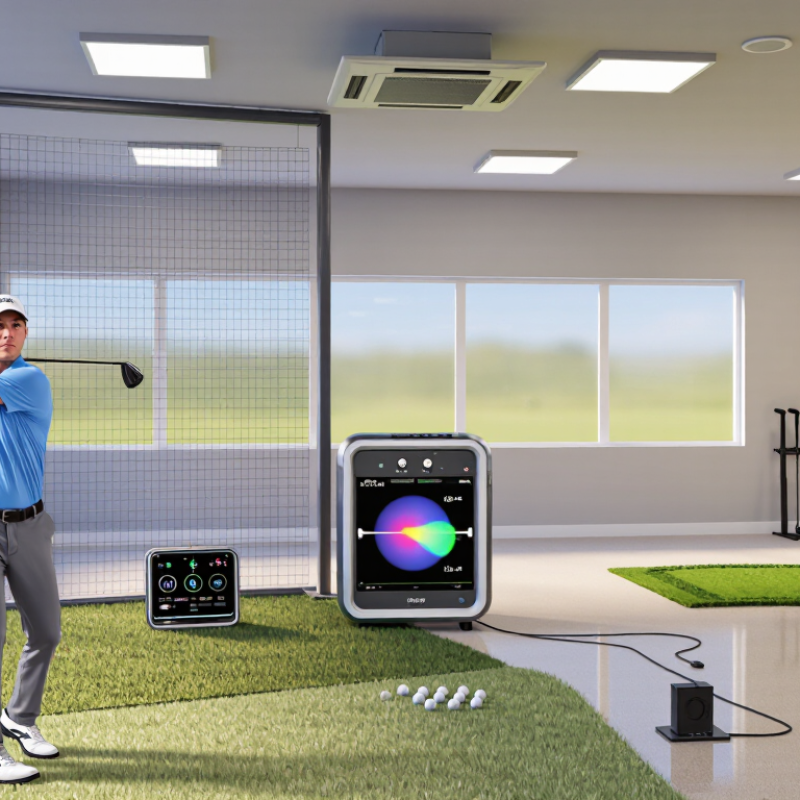
Choosing the right golf launch monitor starts with the available space, not the feature list. Space changes everything. Radar systems track ball and club movement through radio signals. They usually need several feet behind the ball and enough room for the shot to develop. A narrow garage may produce incomplete readings or forced alignment errors. Outdoors, radar often performs well because the ball has more flight distance.

Camera-based systems capture the ball and club through high-speed images. They can work in compact indoor areas, especially when the hitting zone is fixed. However, poor lighting, shadows, or a dirty lens can affect results. Bright sunlight may also challenge some camera setups. Keep the hitting mat level and the camera position consistent.

Hybrid systems combine radar measurements with camera data. This can improve confidence when evaluating launch angle, spin, face angle, and carry distance. Yet more sensors do not guarantee better decisions. Calibration still matters. I have seen golfers blame the monitor when an uneven mat caused the real error. That is worth remembering. Test several shots with the same ball, alignment, and swing target. Compare repeated readings, not one impressive number. Ask whether the system suits your room, lighting, ceiling height, and practice goals. A technically advanced monitor can still be the wrong choice for your space.

Audit Measurement Quality: Verify Carry, Spin, Launch, and Club-Path Data

A launch monitor earns trust through repeatable measurements, not a polished display. Before comparing models, audit four numbers: carry, spin, launch angle, and club path. Use the same club, ball, target, and swing conditions. Hit ten shots, then remove only obvious mishits. Keep the rest. That matters.

Record each result beside a trusted outdoor reference or measured practice session. Carry should follow ball speed, launch, and spin logically; one attractive number proves little. Watch spin consistency, especially with wedges and short irons. Indoor readings can shift when lighting, setup, or ball markings change. Place the unit carefully, check level, and confirm target alignment before every test. A club-path reading deserves extra caution. Small setup errors can make an in-to-out swing look neutral. Compare path with face angle and starting direction, not in isolation.

Ask whether the monitor explains disagreement between shots. If five swings show similar contact but wildly different spin, investigate rather than blame technique. I once trusted a low-spin reading because the carry looked impressive. Later, impact tape showed a thin strike. That mistake changed my testing process. Still, no audit is perfect; reference equipment also has limits. Repeat the test another day, save raw data, and note wind, temperature, and strike location. Reliable choices come from patterns you can reproduce, not the most flattering session.

10 Golf Launch Monitor Tips for Choosing the Right One - Audit Measurement Quality: Verify Carry, Spin, Launch, and Club-Path Data

# Audit Area Data to Record Realistic Test Setup Practical Repeatability Target Why It Matters
1 Carry distance Carry distance, total distance, ball speed, and club speed in yards or meters and mph or km/h. Use a 7-iron at approximately 80–90 mph club speed. A typical carry result may fall near 140–170 yards, depending on delivery and equipment. After removing obvious mishits, the average carry of two groups of 10 shots should normally remain within approximately 3–5%. Carry is more useful than total distance for club gapping, course strategy, and comparing shots under controlled conditions.
2 Backspin measurement Backspin in revolutions per minute (rpm), plus spin axis or spin direction where available. For a well-struck 7-iron, a common test range is approximately 5,000–7,500 rpm. Use the same ball model for every comparison. Repeated shots with similar impact should generally stay within about 300–500 rpm of the session average. Spin strongly affects height, stopping distance, wind performance, and whether a distance result is caused by contact or launch conditions.
3 Launch angle Launch angle in degrees, measured at ball launch rather than estimated from carry distance. A 7-iron test commonly produces a launch angle near 16–22°, while a driver often launches near 10–16°. For comparable shots, the average launch angle should typically repeat within approximately 1–2°. Launch angle helps explain differences in carry, peak height, descent angle, and energy transfer.
4 Club-path data Club path in degrees, reported as in-to-out or out-to-in relative to the target line. Test a neutral swing and intentionally vary the path by approximately 3–5° in each direction. Confirm that the displayed direction changes accordingly. For repeated swings with similar intent, the average should normally remain within about 1–2°. Club path is essential for understanding start direction, curvature, face-to-path relationships, and swing-pattern changes.
5 Face angle and face-to-path Face angle, face-to-path, and starting direction, all in degrees. Hit controlled shots with the face approximately 2–4° open and closed relative to the target. Check whether the launch direction responds consistently. Comparable swings should generally show face-angle variation of no more than approximately 1–2° beyond the player’s natural variation. Face-to-path is a major contributor to curvature. A monitor that reports it inconsistently can produce misleading swing feedback.
6 Ball speed and smash factor Ball speed in mph or km/h and smash factor, calculated as ball speed divided by club speed. A solid 7-iron strike may produce a smash factor around 1.25–1.38; a driver may commonly fall near 1.35–1.50. With stable contact, ball-speed results should typically repeat within about 2–3 mph or 3–5 km/h. These values reveal strike efficiency and help separate a swing-speed change from an impact-quality change.
7 Impact location Horizontal and vertical strike location on the clubface, preferably in millimeters or as a face-map image. Use face spray or impact tape to compare the measured impact point with the monitor’s reported strike location. Test center, heel, and toe strikes. The reported strike pattern should agree with the visible mark within a small practical area, approximately 5–10 mm. Off-center contact can change ball speed, launch, spin, and curvature through gear-effect and energy-loss effects.
8 Peak height and descent angle Peak height in feet or meters and descent angle in degrees. A 7-iron may reach approximately 70–110 feet with a descent angle often near 40–50°, depending on speed and launch conditions. Similar shots should generally repeat within approximately 5–10 feet of peak height and 2–3° of descent angle. These measurements indicate whether a shot is likely to hold a green, even when carry distance appears similar.
9 Indoor and outdoor consistency Compare carry, ball speed, spin, launch, and club-path averages in the same session indoors and outdoors when possible. Use identical balls, club settings, target alignment, and shot-selection criteria. Allow sufficient space for full ball flight outdoors. After accounting for environmental differences, large unexplained shifts—such as more than 5% in carry or 500 rpm in spin—deserve investigation. Some systems estimate parts of the flight indoors, while outdoor conditions allow direct observation of the complete ball flight.
10 Calibration and data transparency Alignment status, sensor height, ball position, environmental inputs, measurement mode, and whether each value is measured or calculated. Repeat a known reference shot after changing the setup and then restoring it. Verify that the monitor identifies misalignment or invalid positioning. A reliable system should provide stable averages after setup changes are corrected and should clearly flag missing, estimated, or low-confidence data. Transparent setup requirements make results easier to trust, reproduce, compare, and use for equipment or swing decisions.
Suggested repeatability ranges are practical testing guidelines rather than universal industry standards. Results vary with club, ball, swing speed, strike quality, environment, and measurement method.

Calculate Ownership Value: Include Subscriptions, Setup, Warranty, and Updates

Calculate Ownership Value: Include Subscriptions, Setup, Warranty, and Updates

Choosing a golf launch monitor requires more than comparing launch data and screen displays. Calculate the full ownership cost before paying. A low purchase price can become expensive after three years of subscriptions, replacement cables, software fees, and paid updates. Write every cost on paper. Then compare the total with your expected practice hours.

Tip 1: Check whether essential features require a recurring subscription. Some systems restrict club data, course access, or saved sessions without monthly payment. Ask how prices may change. Also confirm whether offline use is available. That detail matters in a garage with unreliable internet.

Tip 2: Estimate setup expenses honestly. Include a hitting mat, protective net, lighting, alignment tools, and enough space for safe swings. Installation may also require calibration time. I once underestimated lighting costs, and inconsistent readings followed. My first estimate looked neat, but it was incomplete.

Tip 3: Read the warranty and update policy carefully. A longer warranty can protect your investment, but coverage may exclude accidental damage or outdoor use. Ask how long firmware updates continue. Updated software can improve accuracy, yet forced hardware upgrades can reduce ownership value. Keep receipts, record serial details, and test every feature during the return period. A reliable purchase should fit both your budget and your actual practice routine.

Calculate Ownership Value: Five-Year Golf Launch Monitor Cost

Estimated five-year ownership costs in USD, based on common consumer market price ranges. The calculation includes hardware, subscriptions, setup accessories, warranty coverage, and paid updates or feature add-ons. Taxes, shipping, balls, and replacement equipment are excluded.